
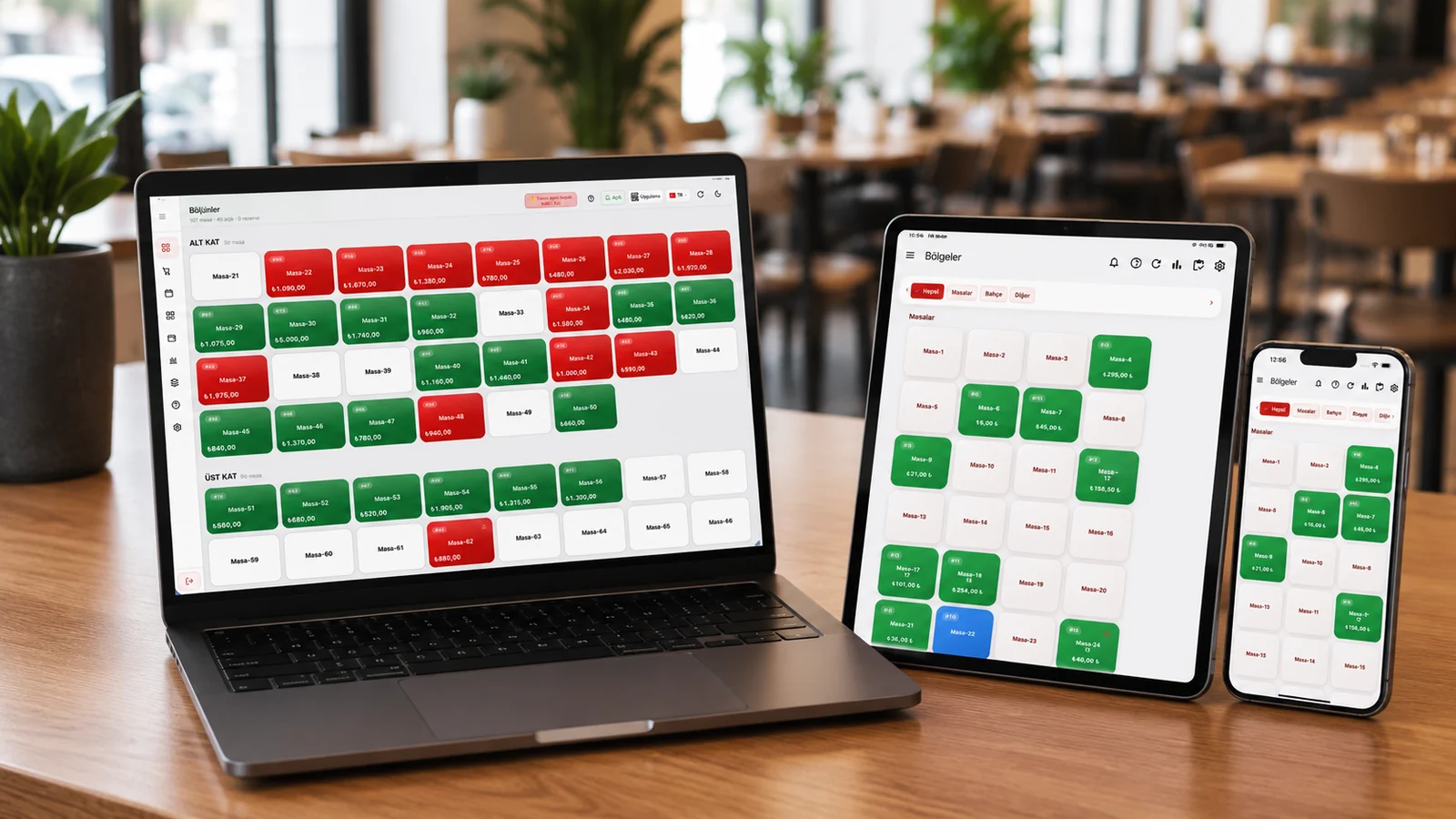
If your POS terminal is tied to a Windows PC, your data lives on that machine's disk, and you can only see the system while you're at the venue, you're living with a constraint that grows over time. Cloud POS solves exactly this: the till software and your data are kept on remote servers (in the cloud), and you reach them from any device with an internet connection. This guide explains in plain terms what cloud POS is, how it differs from a traditional local POS, how it works, what happens when the internet drops, and which businesses it makes sense for.
What Is a Cloud POS?
A cloud POS is a point-of-sale system in which the software and data run on servers reached over the internet rather than on a single device. Products, prices, sales, stock and reports are stored in the provider's data center, not on a local computer. The cashier connects to this central system through a tablet, phone, touchscreen terminal or web browser.
The key difference here is device independence. The software isn't locked to a specific brand or operating system; whether you use an iPad, iPhone, Android tablet/phone or a desktop browser, you connect to the same data. RoxPos works on this principle: it is a cloud-based system that needs no installation and runs on Windows/Mac computers and iPad/iPhone/Android devices via browser or app.
How Is It Different From a Traditional (Local/Windows) POS?
Traditional POS software is installed on a single computer and keeps its data on that machine's disk. To use it you must physically be at that device, install updates by hand and take backups yourself. If the device fails, sales stop and, if you didn't back up, you risk losing data.
With cloud POS the software and data live centrally, updates arrive automatically, and backups are taken regularly on the provider's side. Even if one device fails, you sign in from another tablet or phone and carry on where you left off. Let's gather the differences in one table.
| Criterion | Local / Windows POS | Cloud POS |
|---|---|---|
| Where data lives | On the local disk | On cloud servers |
| Access | Only from that device | Anywhere, any device |
| Hardware | Tied to a Windows PC | iPad/phone/tablet/web |
| Updates | Manual, one by one | Automatic, central |
| Backup | User's responsibility | Regular, on the provider |
| Multi-branch | Each branch separate, hard to merge | Unified in one panel |
| If the device fails | Sales stop, data at risk | Continue on another device |
| If the power goes out | The desktop PC shuts down, sales stop | Sales continue on a charged phone/tablet over 4G/5G |
| If the internet (Wi-Fi) drops | Runs locally but no remote access/multi-device | Switch to the phone's 4G/5G and continue where you left off |
A power or internet outage does not stop sales on a cloud POS. With no Windows dependency, you switch a charged phone or tablet to your own 4G/5G mobile line and continue right where you left off; you can also sign in from any computer via the browser. With a local/Windows POS, sales stop when power or the device goes down, and without a backup your data is at risk. That's why running on the cloud keeps your business up against outage risk during peak hours.
How Does a Cloud POS Work?
The logic is simple: the app on your device is an interface, while the part that does the work and stores the data is in the cloud. When you make a sale, the transaction is written to the cloud; when you open a report, the data comes back from the cloud. So the revenue you see on your phone at home matches what you see on the tablet at the venue, because both read the same central source.
This central structure lets many interconnected operations live in one system. For example, when a check is closed, the recipe ingredients of the sold item are deducted from stock automatically and the cost is computed with the AVCO (weighted average) method; at the same time it posts to the sales report. In RoxPos this flow runs on the same cloud together with table/check management and split and mixed payments (cash/card/store credit).
Advantages of a Cloud POS
The benefits of a cloud POS come not from a single feature but from the natural consequences of its central design. The ones felt most are:
- No installation: you sign in with your account and start using it, without installing software on the device.
- 24/7 mobile management: even when you're not at the venue, you see revenue, tables and stock from a phone or tablet.
- Automatic updates: new features and fixes arrive without per-device installs.
- Multi-branch in one panel: manage a chain or several venues from one place and compare branches.
- Device freedom: if a tablet breaks, you continue instantly with a new one or another device.
In the case of RoxPos, this central structure also gathers capabilities like multi-branch and chain support (multi-tenant), menu- and action-level permissions/roles, and live reporting on the same cloud. You can export reports to PDF/Excel and compare branches on one screen.
Data Security and Backup
A common worry is: 'My data is on someone else's server — is it safe?' In practice, a well-configured cloud POS is more protected than what most small businesses can keep on a single computer. Data centers take regular backups, build in redundancy against hardware failure, and aren't affected by local risks like physical theft, fire or disk failure.
With local POS, backups depend on the user's initiative and are often neglected; when the computer is stolen or the disk fails, months of sales and stock data vanish. In the cloud, backup is a natural part of the process. You can also instantly revoke a user's or device's access from the center, closing a departing employee's access in one click.
What Happens When the Internet Drops?
This is the most common objection, and a fair question. A cloud POS relies on the internet; if the connection drops, the live sync between cloud and device pauses temporarily. That's why businesses should have a simple fallback plan for internet outages.
Practical solutions are usually enough: keep a mobile line (4G/5G) at the till as a backup connection and switch to a phone hotspot when the main internet drops. For many cafes and restaurants, outages are already rare and short. When deciding, it's enough to account for device variety (not just the till — waiter phones connect too) and the cost of mobile data.
Who Is a Cloud POS Right For?
A cloud POS suits almost any business that moves beyond the traditional model where the sale ends at one fixed till. These profiles in particular see clear benefit:
- Restaurants, cafes and bars with table service: waiters open checks from a phone and take orders at the table.
- Chains with multiple branches or planning to grow: all branches gather in one panel.
- Owners who want to monitor the business remotely: they see the day's revenue from their phone.
- Businesses taking delivery and digital orders: order, courier and kitchen management gather in one system.
RoxPos covers all of these scenarios under one roof: a multilingual QR menu and digital ordering from the table, reservations with table/area management, delivery integrations with Yemeksepeti, Getir, Uber Eats (Trendyol) and Migros Yemek, courier assignment/tracking and kitchen printer routing. It also supports Beko, Ingenico, PAX and Hugin fiscal devices, as well as scale connections.
What to Look For When Choosing a Cloud POS
The right system meets your business's needs today while keeping up as you grow. Working through this order makes the decision clearer:
- Device support: does it work smoothly with the tablet/phone you use (iPad, Android, web)?
- Needs match: does it have the modules you'll actually use, like tables, stock, recipes, delivery, QR menu?
- Fiscal compatibility: does it integrate with the fiscal devices used in your region?
- Growth: when you open a second branch, can you manage it from the same panel?
- Trial option: can you test it with your real data before buying?
On top of these, AI-assisted capabilities like sales forecasting, profit/loss analysis and menu image generation turn a till system from a mere sales tool into a decision-support tool. RoxPos offers these analyses and an assistant within the same cloud system, so you don't have to combine reports in a separate tool.
RoxPos: a cloud-based POS
RoxPos is a cloud POS system that needs no installation; it runs in the browser on Windows/Mac computers and on iPad, iPhone and Android tablets/phones via app or browser, and isn't tied to any single brand. You reach your sales, tables, stock, recipes and reports 24/7 from any device and manage multiple branches from a single account. You can try it free for 15 days with no card required.