
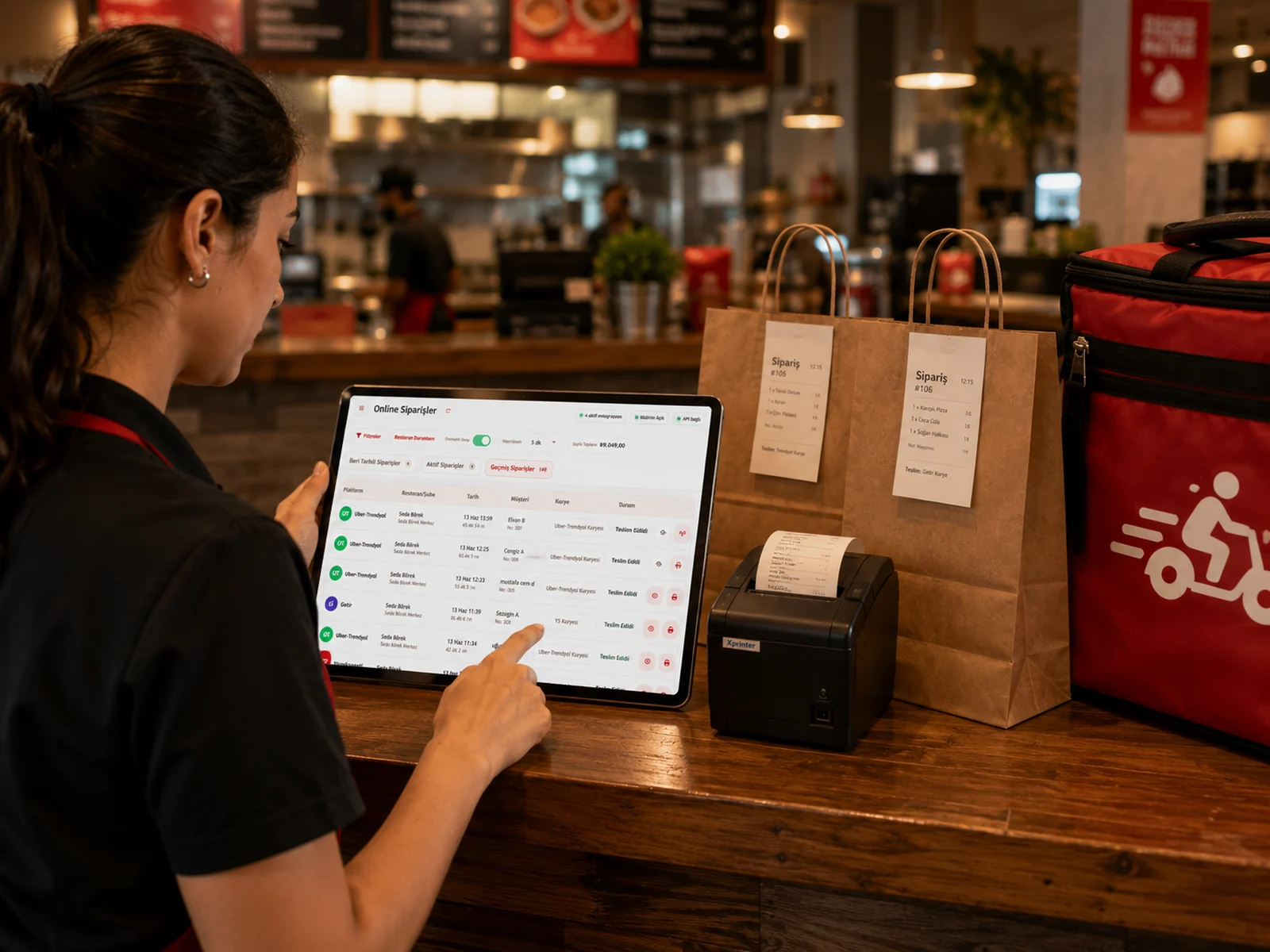
In a restaurant with a dining room, software sits next to the till; in a ghost kitchen it is the job itself. Every order arrives on a screen, goes to the kitchen through a screen and is reported on a screen. The wrong system means missed orders, handwritten tickets and four separate reports to add up at night. The eight criteria below sum up what to ask when you evaluate takeaway, ghost kitchen or delivery software; under each one we note how it works in RoxPos.
1. Are All Platforms on One Screen?
A separate tablet for each platform is the most common reason for missed orders. The software should bring every platform you work with into one list and announce new orders clearly, with sound.
In RoxPos: in Ireland and the UK, Flipdish, Deliveroo and Uber Eats orders are listed together. A new order is announced with its own sound in the web panel and arrives on the mobile app as a notification with the platform name; scheduled orders wait in their own tab.
2. Are Acceptance and Preparation Steps Automatic?
Accepting every order by hand at peak time costs minutes and keeps customers waiting. It should be possible to automate acceptance and the preparation steps with a setting.
In RoxPos: with automatic acceptance on, orders are accepted as soon as they arrive, where the platform allows acceptance from the POS (on Deliveroo sites that accept orders on the Deliveroo tablet, acceptance stays on the tablet). The automation runs on the server, so an order is never accepted or printed twice.
3. Kitchen Tickets and Kitchen Display (KDS)
An accepted order should reach the kitchen without anyone writing it down; items should go to the right station, printer or screen.
In RoxPos: with automatic printing on, accepted orders are printed on the kitchen printer you choose. On the kitchen display (KDS), online orders appear with the platform name and a label showing they are takeaway orders.
4. Product Matching and Stock Deduction
Item names on the platform rarely match your own records exactly. The software should let you link platform items to your products once; after that, stock and recipe ingredients should be deducted automatically with every order.
In RoxPos: platform items are linked to RoxPos products per integration. With stock deduction on, stock, or recipe ingredients when a recipe is defined, is deducted when the order is accepted and returned if the order is cancelled or rejected. See restaurant inventory tracking.
5. Switching Items Off When Stock Runs Low
An item that has run out but is still on sale means cancellations, refunds and bad reviews. A good system should be able to switch the item off on the platform when stock falls below its critical level.
In RoxPos: with stock automation on, an item that falls below its critical level is switched off automatically on Flipdish. Deliveroo and Uber Eats do not support this from RoxPos; there you switch items off in the platform's own tools.
6. Pausing the Restaurant on the Platforms
When the kitchen cannot keep up, the right move is to stop taking new orders for a short while. Doing that platform by platform at peak time is hard.
In RoxPos: you can close and reopen the restaurant on Flipdish, Deliveroo and Uber Eats from the restaurant status window.
7. Fiscal Rules and Receipts
Some countries have fiscal rules for tills, such as certified devices or signed receipts. Check that the software meets your country's rules before you open.
In RoxPos: in Türkiye, online order receipts are sent to the fiscal POS (yazarkasa), manually or automatically depending on the device. For other countries, contact us about your local requirements.
8. Platform Report and Commission
To see which platform really pays, revenue has to be read together with the net after commission, not on its own.
In RoxPos: the online orders report shows the number of orders, revenue, commission and net after commission, delivery and cancellation rates and the average basket, with daily and hourly distribution and a breakdown by platform. Commission is calculated with the rate you enter for each integration.
Also Check
- Installation: Is the system cloud-based with nothing to install? RoxPos runs in the browser and on the iOS and Android apps.
- Takeaway and phone orders: Are orders from outside the platforms handled in the same system? See takeaway and phone order management.
- Several brands: Can several accounts on the same platform be connected? In RoxPos they can, each with its own display name in the order list.
- Trial and pricing: Is there a free trial and are licence prices public? RoxPos can be tried free for 15 days; prices are on the pricing page.