
Feature
AI invoice reading: RoxPos reads invoices and delivery notes from a PDF or photo, matches lines to your products and fills the stock entry.
15 days free · No card required · No setup
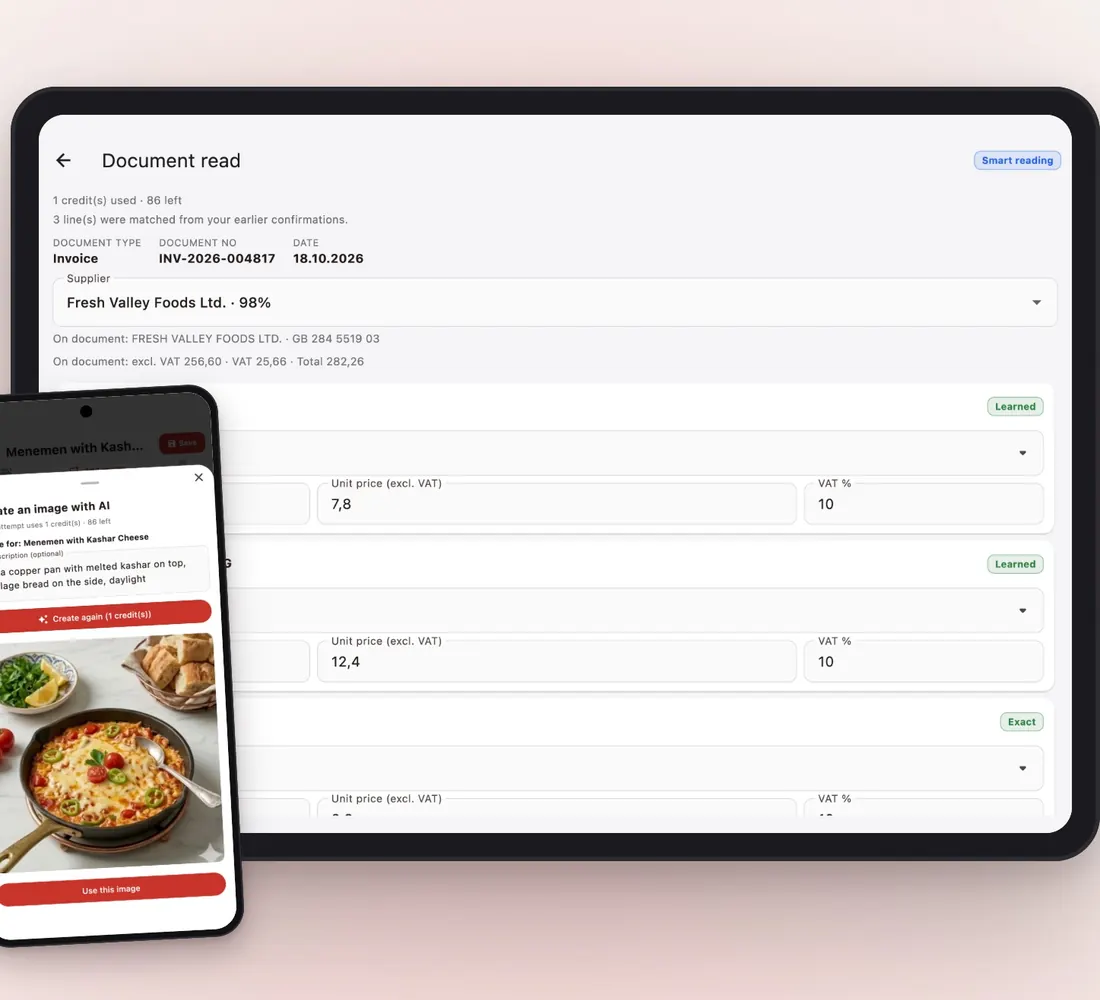
With smart reading off you can pick only a PDF; with it on, a PDF or a photo. A file can be up to 15 MB, a PDF read with AI up to 10 pages at 1 credit per page; reading the same file again within 30 days costs nothing.
A PDF with a text layer is first read by RoxPos's own reader; if the line amounts match the document's net total, the AI is never used and no credits are spent. AI steps in only for photos, scanned PDFs or documents whose amounts don't add up.
The seller on the document is looked up in your customer / supplier records by tax number and name. If it isn't registered you are offered to add it; with the account permission it is added in one tap and found automatically on later documents.
Product matching never uses AI: the learning memory runs first, then name similarity. No stock entry is created until you save, and a product that isn't in the system is only created when you press “+ New product”.
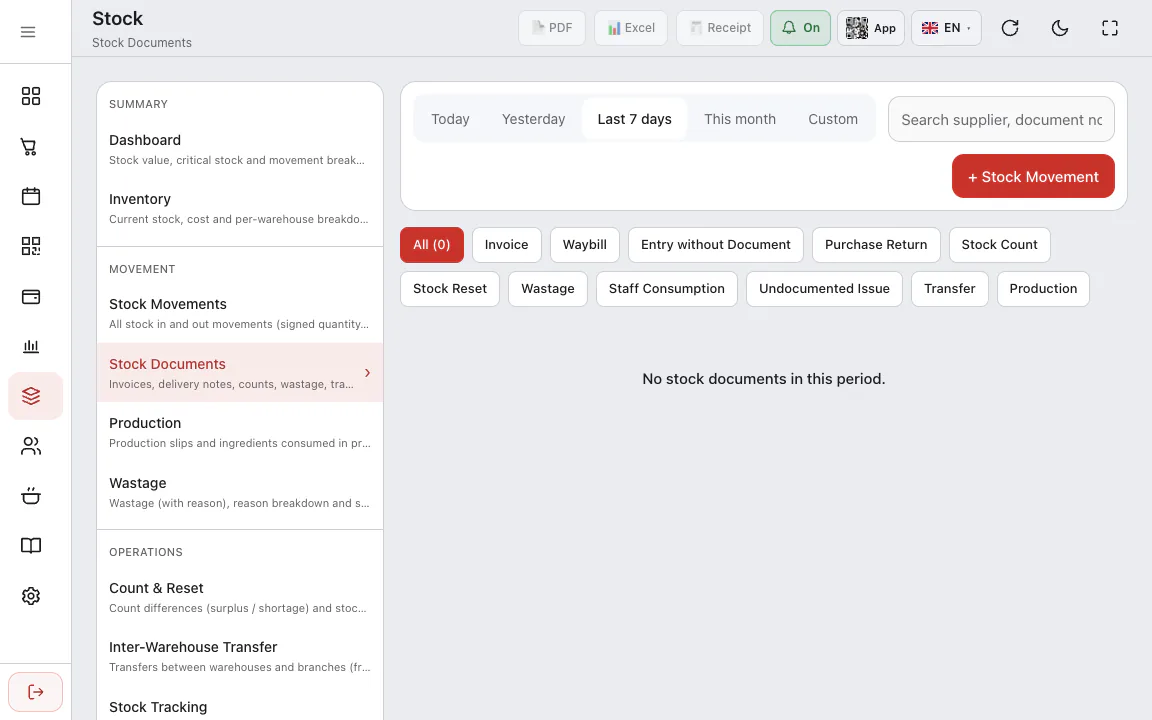
In the web panel, press “Read invoice / delivery note” in Stock ▸ Stock Movements; the same screen is in the RoxPos Pro mobile app. For a photo or a scanned document, turn on “Smart reading (AI)”; it starts switched off.
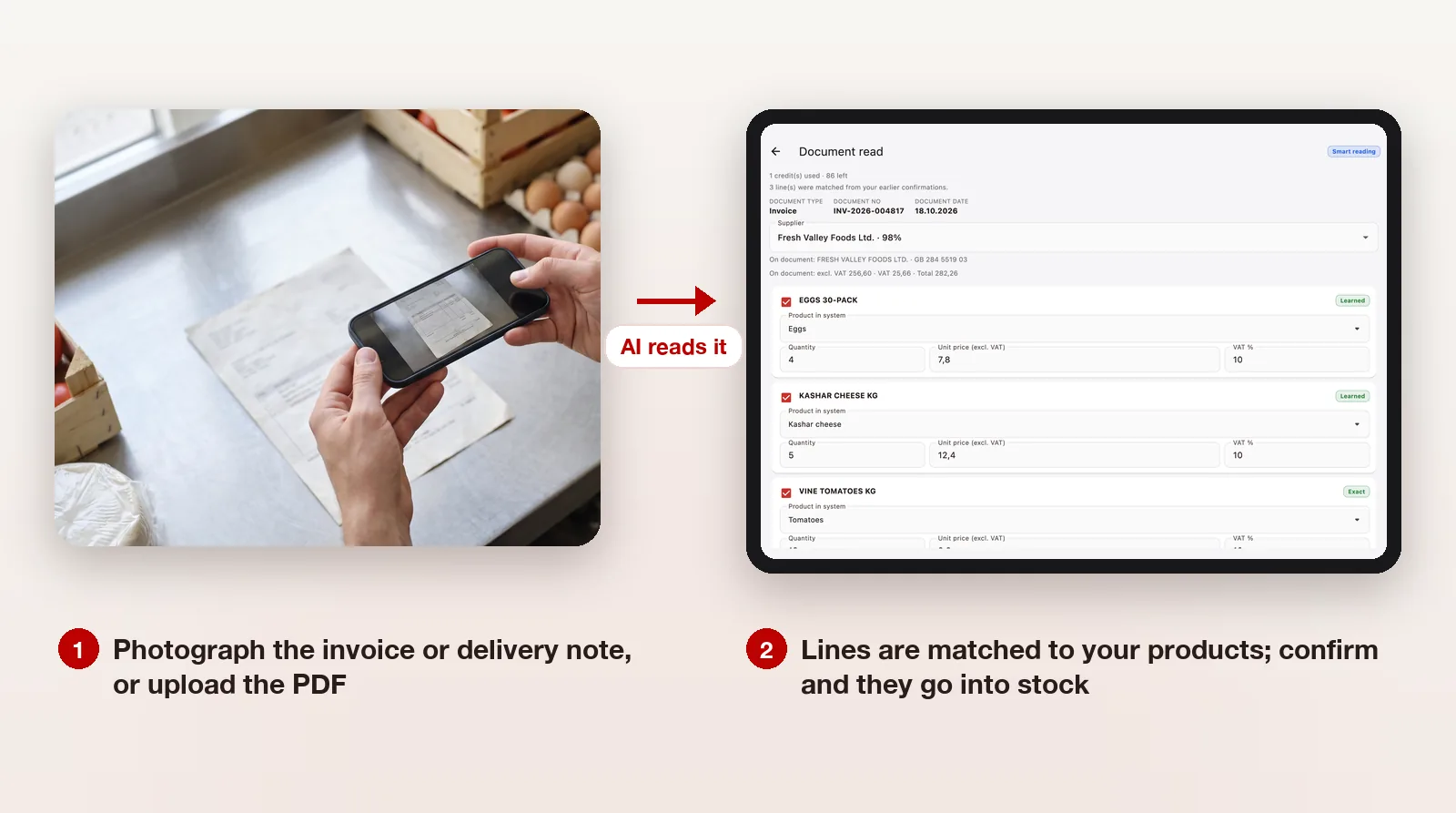
Text e-invoice and e-delivery note PDFs are read without AI and use no credits. You can photograph a paper document with your phone or drag and drop the file; photos are read only with smart reading.
At the top you see the document type, number, date and supplier; each line shows the item on the document, the product in your system, quantity, unit price (net) and VAT rate. Lines you confirmed before come in as “Learned”, and the totals on the document, plus the e-invoice QR code when present, are compared.
For an item with no match in your system, “+ New product” on the line opens a simple product card: name, barcode, VAT and unit are filled from the document, and you choose the category and selling price. On the next invoice the product matches by itself.
The lines you approve are transferred to the stock movement; it is saved only when you save it, and stock and purchase cost update accordingly. Each page read with AI uses 1 credit, returned if the document cannot be read.
It reads e-invoices and e-delivery notes as PDF, and paper invoices and delivery notes as photos. The date, document number, supplier, lines, quantity, unit price and VAT rate are extracted.
Credits are the unit for AI operations and never expire. Each document page read with AI uses 1 credit. Text e-invoice PDFs are read without AI and use no credits; if a document cannot be read, the credit is returned.
Lines are matched approximately to your products and you confirm them. A confirmed match is remembered; when the same line comes again from the same supplier it is matched without asking.
No. What was read is shown in a preview; you check and correct it, and with your approval it is transferred to the stock entry lines. The entry is saved only when you save it.
A PDF read with AI can have up to 10 pages, at 1 credit per page; the file can be up to 15 MB. You can split a longer document and read it in parts.
RoxPos shows the seller details from the document and asks whether you want to add them. If you have the account permission the supplier is added and recognised automatically by tax number on later documents.