Feature

Roxi: AI-Assisted Voice Ordering Assistant
The waiter tells Roxi the order; RoxPos Pro finds the products, quantities and table, and adds them once you confirm

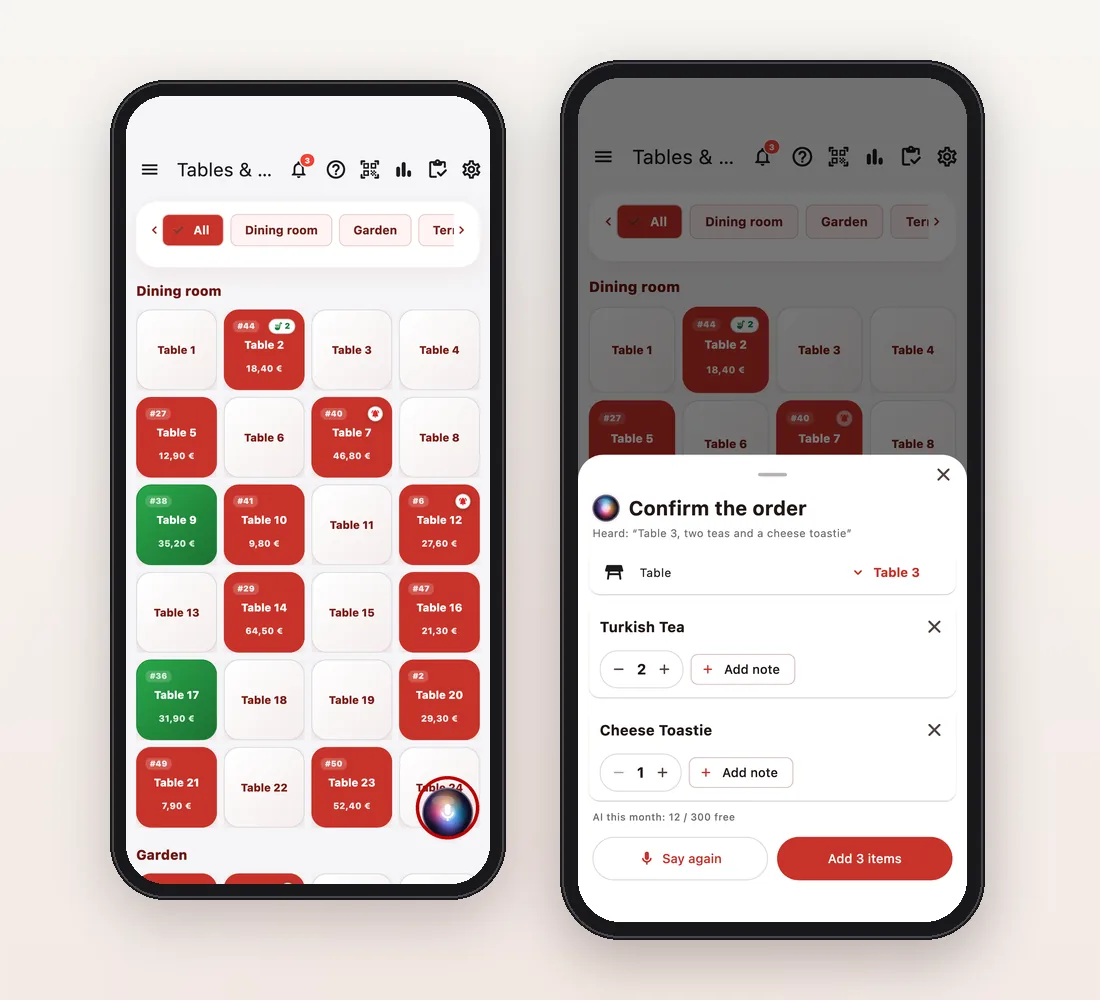
Roxi voice assistant: the waiter says “Table 3, two teas and a toastie” and RoxPos Pro shows products, quantities and table to confirm. No recording.

15 days free · No card required · No setup

Roxi: AI-Assisted Voice Ordering Assistant

Key Highlights

Tell Roxi, then confirm

Tap the Roxi button on the table list or inside a table and say the order: “Table 3, two teas and a toastie”. The confirmation window shows the matched products, quantities and table; you can change a quantity, remove a line or say it again. Nothing is added before you confirm.
No voice recording

Speech is turned into text on the phone by the phone's own speech recognition. The voice is not recorded or sent to RoxPos; only the order text goes to RoxPos.

Knows your menu

Products are mostly matched by a free local matcher: it works in 8 languages, catches near pronunciations of names and learns your branch's own words. AI only helps when it is unsure; 300 AI-assisted orders per company per month are free.

Print and take payment at the table

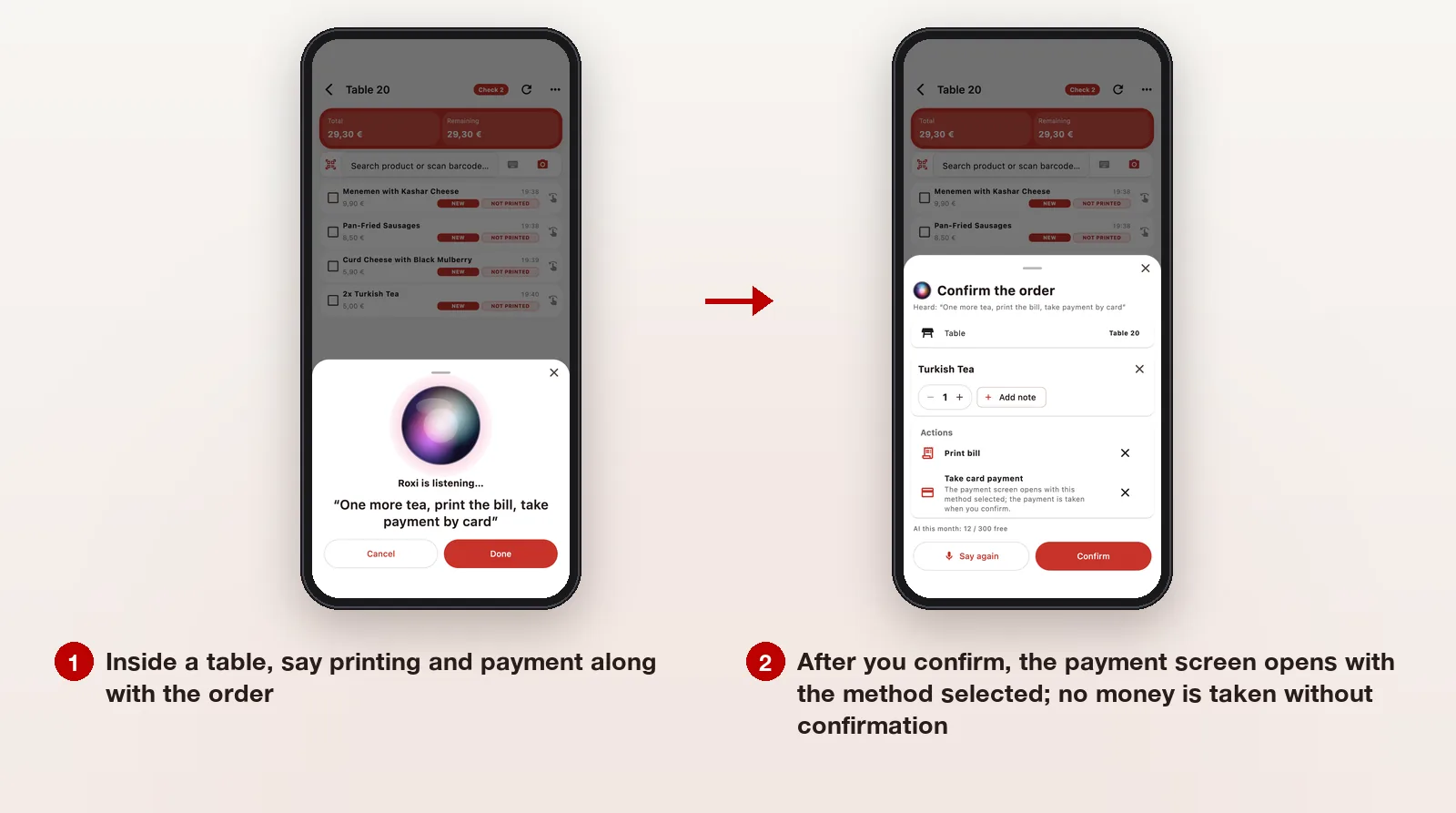
Inside a table, say “print the order”, “print the bill”, “take cash payment”, “take payment by card” or “take payment”. The payment screen opens with the method selected; a card payment goes to the connected card terminal / POS through the normal payment screen. No money is taken without your confirmation.

Roxi: cost, rules and data

Most orders are solved without AI

A spoken order is first solved by the free local matcher, which is always free and unlimited. AI steps in only when an order is unclear and has a free monthly quota per company; after that, every 50 AI-assisted orders use 1 credit.

  • Without credits Roxi doesn't stop: where unsure it offers a short list of choices
  • There is a daily AI limit per company to prevent misuse
Details →
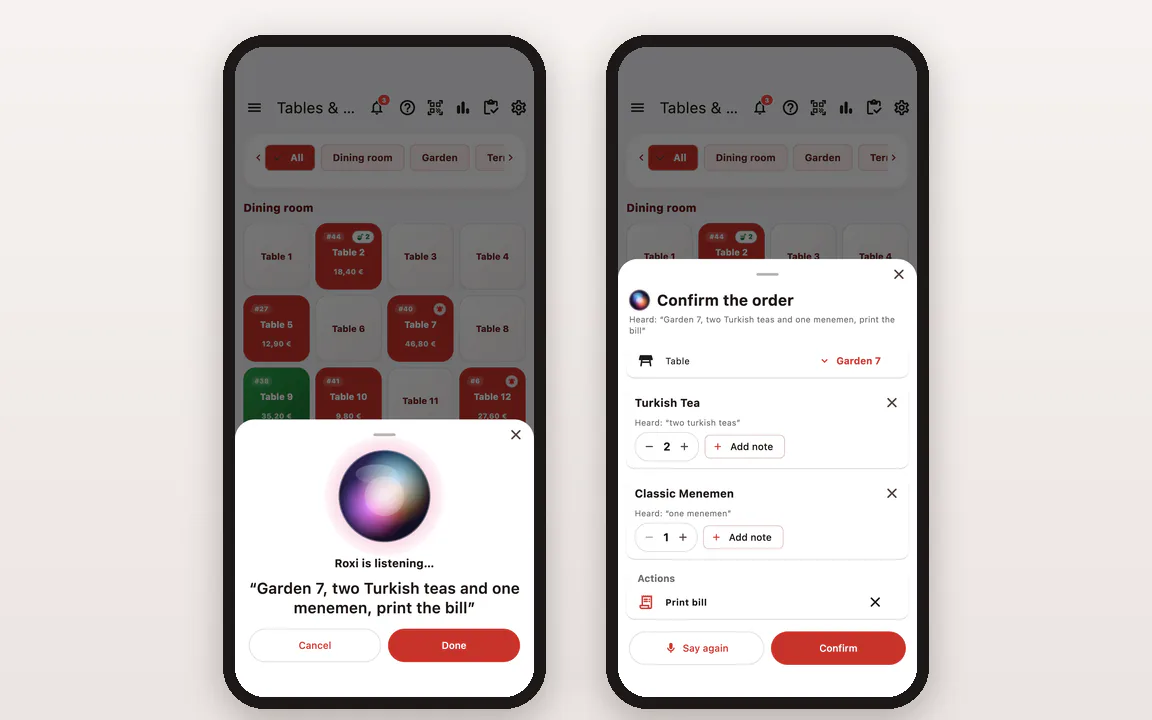
The Roxi confirmation window in RoxPos Pro: products found, quantities, table and the Confirm button

The same rules as adding by hand

Confirmed products go onto the check as if added by hand: they reach the kitchen and printer the same way, and your branch and area restrictions apply unchanged. You don't need to set up a separate permission for Roxi.

  • On first use the phone asks for microphone and speech recognition permission

What goes to the AI?

No audio goes anywhere; the phone itself turns speech into text. If AI is needed, it receives only the order text and a short list of candidate products from your branch; no sales, price history or customer data is sent.

  • Phrases you confirm are learned for that branch only
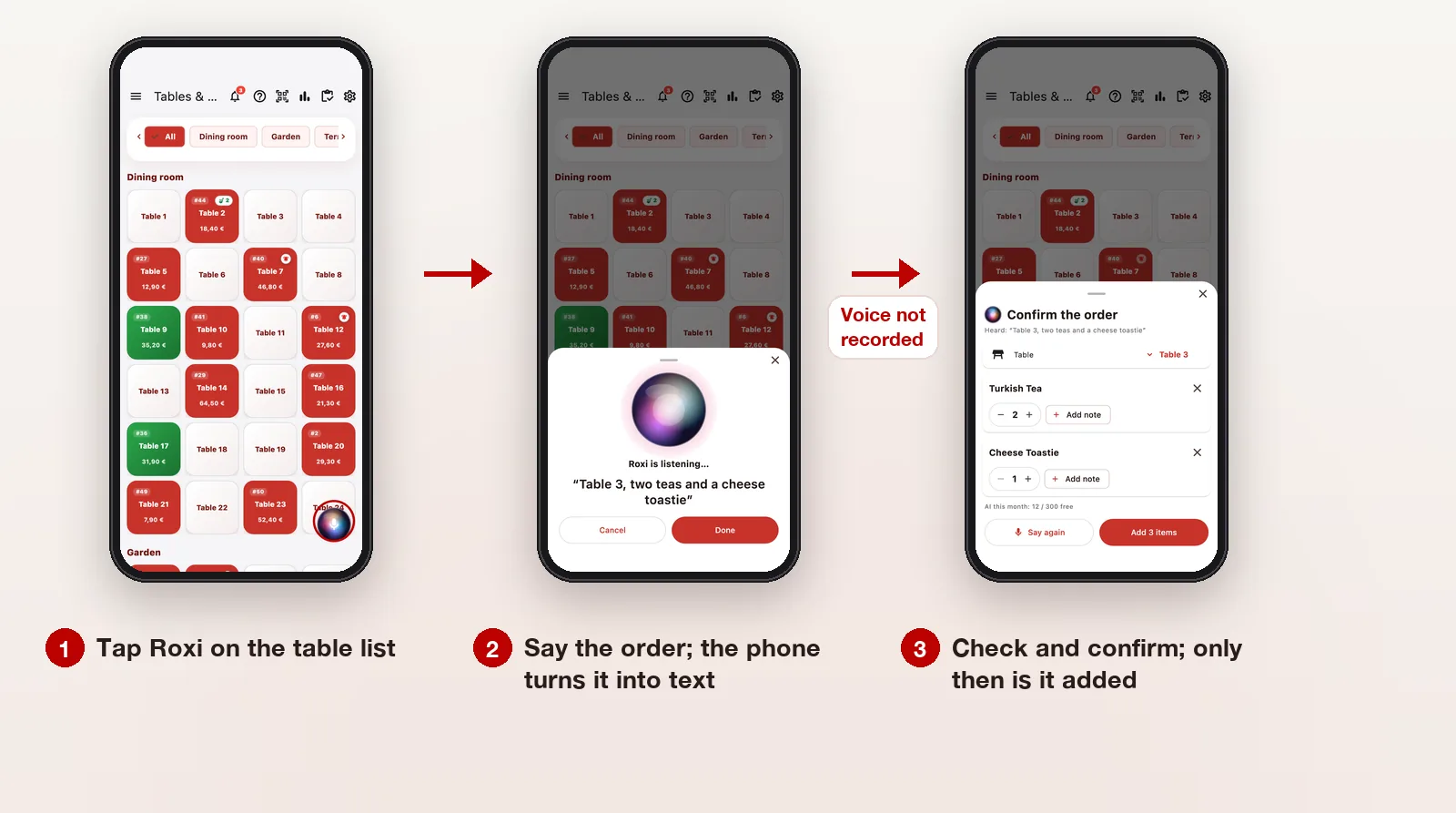
Three steps in RoxPos Pro: the Roxi button on the table list, the listening window hearing “Table 3, two teas and a cheese toastie”, and the confirmation window with products, quantities and table

How to use it

  1. Tap Roxi

    In the RoxPos Pro mobile app, tap the glowing Roxi button on the table list or inside an open table. The first time, the phone asks for microphone and speech recognition permission.

  2. Say the order

    On the table list, say the table with the order: “Table 3, two teas and a toastie” or “Garden 27, two sodas”. Inside a table the table is already known, so you only say the products. Speech is turned into text on the phone; the voice is not recorded and only the text goes to RoxPos.

  3. Check the confirmation window

    The matched products, their quantities and the table are listed. Change a quantity, add a note, remove a wrong line, change the table or press “Say again”. Nothing is added until you confirm; once you do, the products go onto the bill just as if you had added them by hand.

  4. Print or take payment at the table

    Inside a table you can say, with the order or on its own, “print the order”, “print the bill”, “take cash payment”, “take payment by card” or “take payment”. After you confirm, the payment screen opens with the method selected; a card payment goes to the connected card terminal / POS through the normal payment screen. No money is taken without your confirmation.

    Inside Table 20, after “One more tea, print the bill, take payment by card”: the confirmation window with one tea, Print bill and Take card payment

What Is It For?

Waiters at the rush

Instead of searching for products on the phone, the waiter says the order at the table, glances at the confirmation window, confirms and moves on to the next table.

Garden, terrace and dining room tables

From the table list, a table said with its area and number, such as “Garden 27, two sodas”, is matched. If it is unclear, you pick the table in the confirmation window.

Your branch's own words

The short names your team uses for products (for example saying “milky coffee” and choosing Latte) are learned for the branch as they are confirmed; next time the same words go straight to the right product.

Multilingual teams

The app works in 8 languages and the waiter speaks in the app's language. If the phone's speech recognition does not support that language (for example Irish on iPhone), the Roxi button is hidden.

Related Solutions

Frequently Asked Questions

Does Roxi record my voice?

No. Speech is turned into text on the phone by the phone's own speech recognition; the voice is not recorded and is not sent to RoxPos. Only the order text goes to RoxPos.

Does voice ordering with Roxi cost anything?

Products are mostly matched by a free local matcher; AI only helps when an order is unclear. Each company gets 300 AI-assisted orders free every month; after that, every 50 AI-assisted orders use 1 AI credit.

Is Roxi on by default, and how do I turn it off?

Yes, Roxi is on by default. If you don't want it, turn it off for the branch with the “Roxi voice assistant” switch in General settings; when it is off, the Roxi button is hidden in the app.

What if it misunderstands?

Nothing is added without confirmation. In the confirmation window you remove or change a wrong product, fix the quantity and table, or start over with “Say again”. Matches you confirm are learned for the branch.

Which devices does it work on? Is it in the web panel?

It works in the RoxPos Pro mobile app on iPhone and Android phones; there is no voice ordering in the web panel. The order text is understood on the RoxPos side, so an internet connection is needed.

Which languages can I speak?

In the app's 8 languages: Turkish, English, German, Spanish, French, Italian, Russian and Irish. You speak in whatever language the app is set to. If the phone's speech recognition does not support the app language (for example Irish on iPhone), the button is hidden.

What happens when I say “take payment by card”?

The command appears under “Actions” in the confirmation window. When you confirm, the payment screen opens with card selected and the payment goes to the connected card terminal / POS through the normal payment screen; no money is taken until you confirm there.

Does Roxi work if I have no credits?

Yes. The local matcher is always free; if the free monthly AI quota is used up and you have no credits, Roxi shows a short list of choices for products it isn't sure about, and you pick.

How does a product added with Roxi reach the kitchen?

The same way as a product added by hand: once you confirm, the products go onto the check and reach the kitchen / bar printer and kitchen display by category under the same rules. Inside a table you can also say “print the order” and let Roxi handle the printing.