How do I turn on courier tracking?
Per branch, in Settings ▸ Integrations, on the “Courier tracking” card under takeaway and phone orders; it is off by default. On the same card you choose whether drivers can take waiting orders, how card payments at the door are handled and where your business is on the map.
How is a driver account created?
The business creates the user in the panel under Users and gives the Courier role or the “Can deliver (RoxPos Courier)” permission. A Courier-role account cannot sign in to RoxPos Pro or the web panel and works only in RoxPos Courier; there is no sign-up in the app.
Which orders go to the drivers?
Phone orders entered on a delivery table, and Flipdish orders that your restaurant delivers itself. Orders delivered by the platform's riders and collection orders are not included. For online orders, “on my way” and “delivered” are also reported to the platform.
Can drivers take card payments at the door?
Yes. The card is charged on your own card terminal; in the app the driver picks card, or another of the branch's payment types, and the payment is posted to the order (part of it can be paid in cash). For this, choose “No device (record only)” for card payments on the courier tracking card.
When is a driver's location shared?
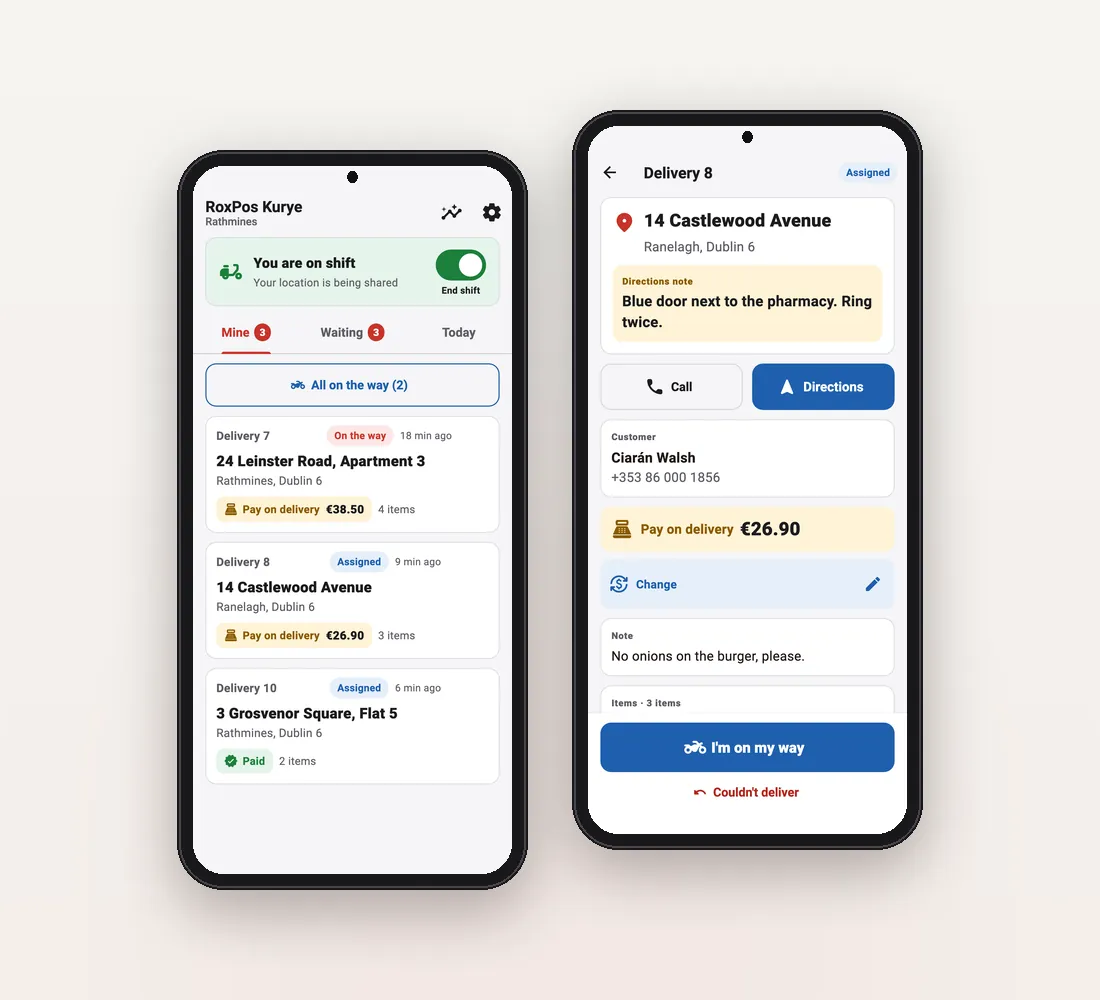
Only while the driver is on shift, and only with the restaurant they work for. Sharing stops when the shift ends or the driver signs out; no location is collected off shift. In the panel, the board's map shows drivers on shift and their last location.
What if a delivery fails?
The driver taps “Couldn't deliver” and picks a reason: customer unreachable, address not found, customer refused, or another reason. The order goes back to the waiting list and counts as a failed delivery in the report.
Is courier tracking a separate paid module?
No. There is no separate courier module and no fee per driver: courier tracking comes with RoxPos online ordering, licensed per branch. Contact us to find out which package covers your business.
Which languages does the driver app speak?
English, Turkish, German, Spanish, French, Italian, Russian and Irish. The app follows the phone's language and drivers can change it in Settings; new-assignment notifications arrive in the driver's language too.